
Module 03 / Purchasing
Buy with the numbers in front of you.
Suppliers, purchase orders and receiving sit next to current stock and open orders, so reordering is a decision rather than a guess.
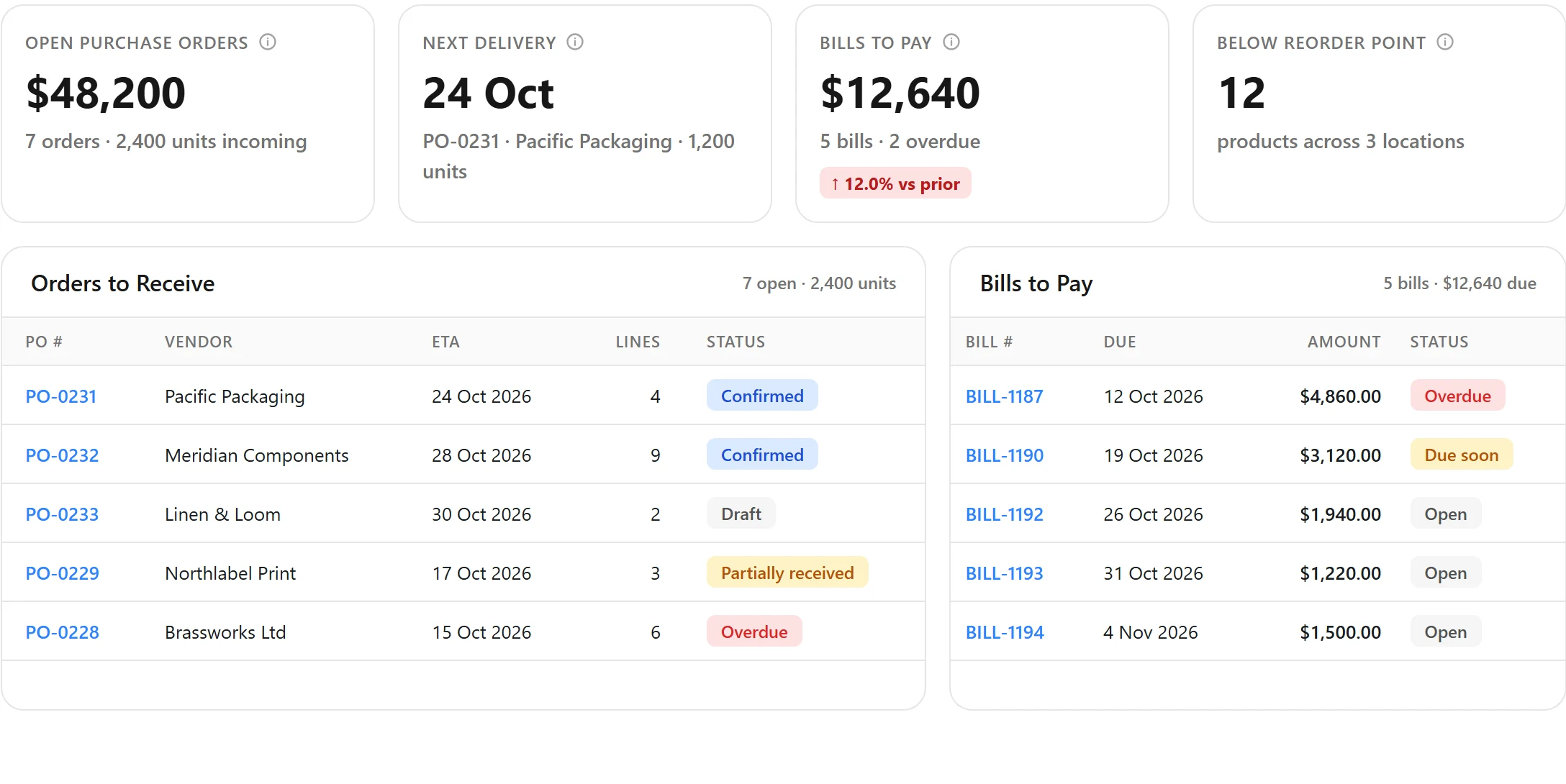
01 / The problem
What goes wrong without it.
Reordering from a spreadsheet means buying too much of what sits still and too little of what sells. By the time the gap shows, the lead time has already been spent.
02 / Capabilities
What Purchasing does.
Each capability works from the same stock, order and supplier records as the other six modules.
Suppliers
Keep each supplier’s products, costs and contact details in one record.
Purchase orders
Raise, send and track purchase orders against supplier records.
Receiving
Receive full or partial deliveries into a location and update stock on arrival.
03 / How it works
Start to finish.
01
Spot the gap
Low stock and open demand show against each product.
02
Raise the purchase order
Pick the supplier, quantities and delivery location.
03
Track incoming
Expected quantities are visible to the team while goods are on their way.
04
Receive into stock
Receiving raises on hand and available for every channel at once.
04 / Connections
Works with
Each integration page lists what syncs and in which direction.
Who uses it
Built around how your products move
05 / Questions
Good questions.
Does purchasing use the same stock figures as sales?
Yes. Purchasing, inventory and orders are one system, so what you are about to buy sits next to what you hold and what you have sold.
How does receiving affect availability?
Received quantities raise on hand and available at that location immediately, so channels can sell them.
Something else? Contact us.
The other six modules
See it with your own stock
Purchasing, on your numbers.
A demo walks through your channels, locations and current systems and shows how they fit together in VentryHub.