
Module 01 / Inventory
Every unit, accounted for.
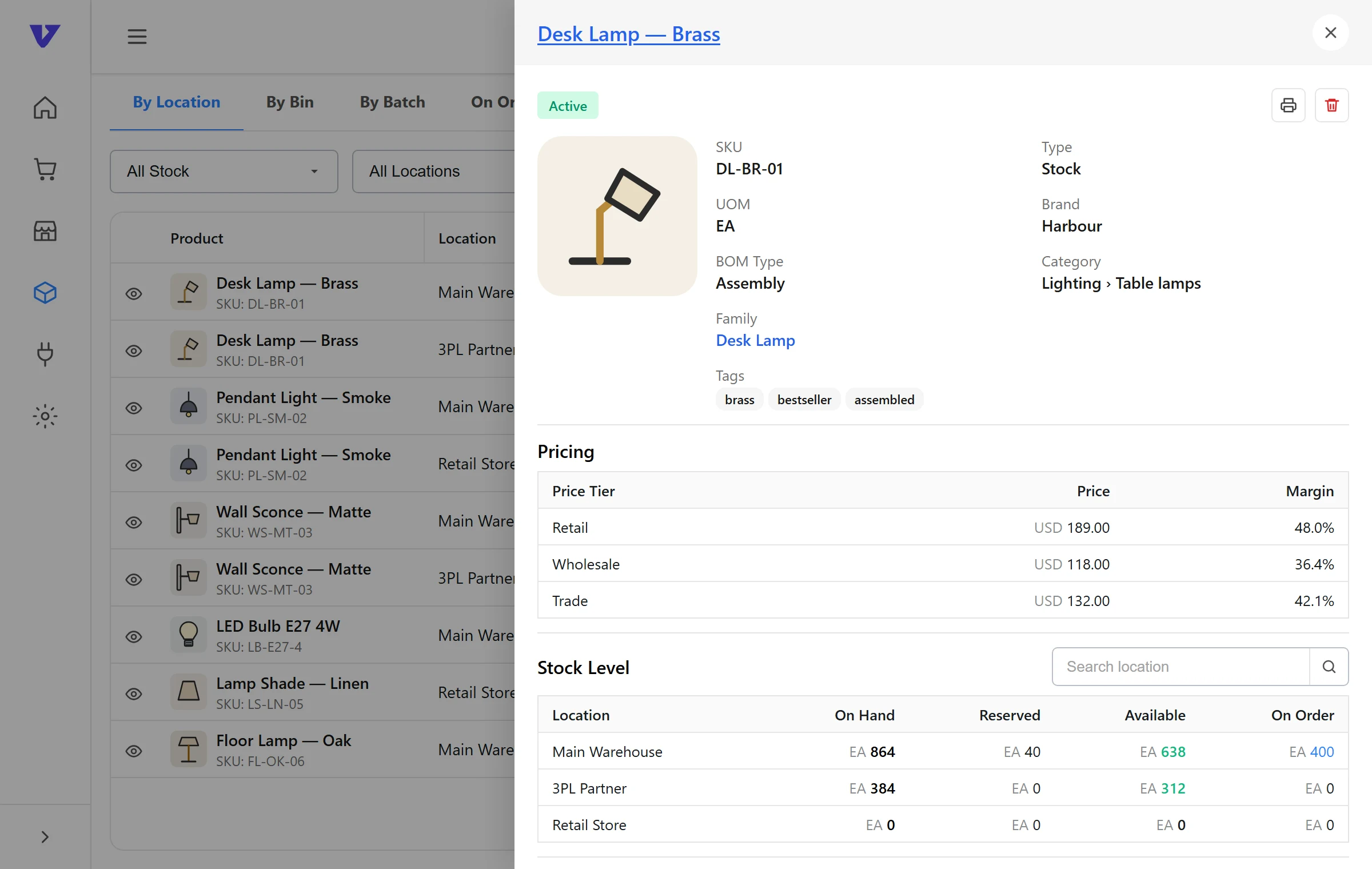
Stock across every warehouse, store and 3PL, with on hand, allocated and available kept separate, so your channels only ever sell what you can ship.
01 / The problem
What goes wrong without it.
When stock sits in a warehouse, a 3PL and a spreadsheet, nobody is quite sure what can be sold. Channels oversell, reorders come too late, and the team spends its mornings reconciling instead of shipping.
02 / Capabilities
What Inventory Management does.
Each capability works from the same stock, order and supplier records as the other six modules.
Multi-location stock
Every warehouse, store and 3PL is a location. See stock per location and in total, from one screen.
On hand, allocated, available
Allocated stock is reserved for open orders the moment they land, so the available figure your channels sell from is always real.
Bundles and kits
Bundle availability is calculated from component stock. Bundle orders break into components before they reach the warehouse.
Transfers between locations
Move stock between locations, with in-transit quantities visible until they are received.
03 / How it works
Start to finish.
01
Set up locations
Add each warehouse, store and 3PL. Connected 3PLs report stock through their integration.
02
Load products and opening stock
Import your catalogue with variants, bundles and opening balances per location.
03
Channels sell from available
Connected storefronts and marketplaces receive available stock, not on-hand totals.
04
Adjust, transfer, count
Day-to-day movements update every location and channel from the same record.
04 / Connections
Works with
Each integration page lists what syncs and in which direction.
Who uses it
Built around how your products move
05 / Questions
Good questions.
What is the difference between on hand, allocated and available?
On hand is what is physically in a location. Allocated is reserved for open orders. Available is on hand minus allocated, and it is the figure your sales channels receive.
Can I hold stock at a 3PL and in my own warehouse?
Yes. Each is a location. Orders are routed to the location that should fulfil them, and an order can be split across locations.
How are bundles handled?
A bundle’s availability comes from its components. When a bundle sells, the order is broken into components before fulfilment and component stock is allocated.
Something else? Contact us.
The other six modules
See it with your own stock
Inventory Management, on your numbers.
A demo walks through your channels, locations and current systems and shows how they fit together in VentryHub.