
Module 06 / Accounting
Your ledger, kept in step.
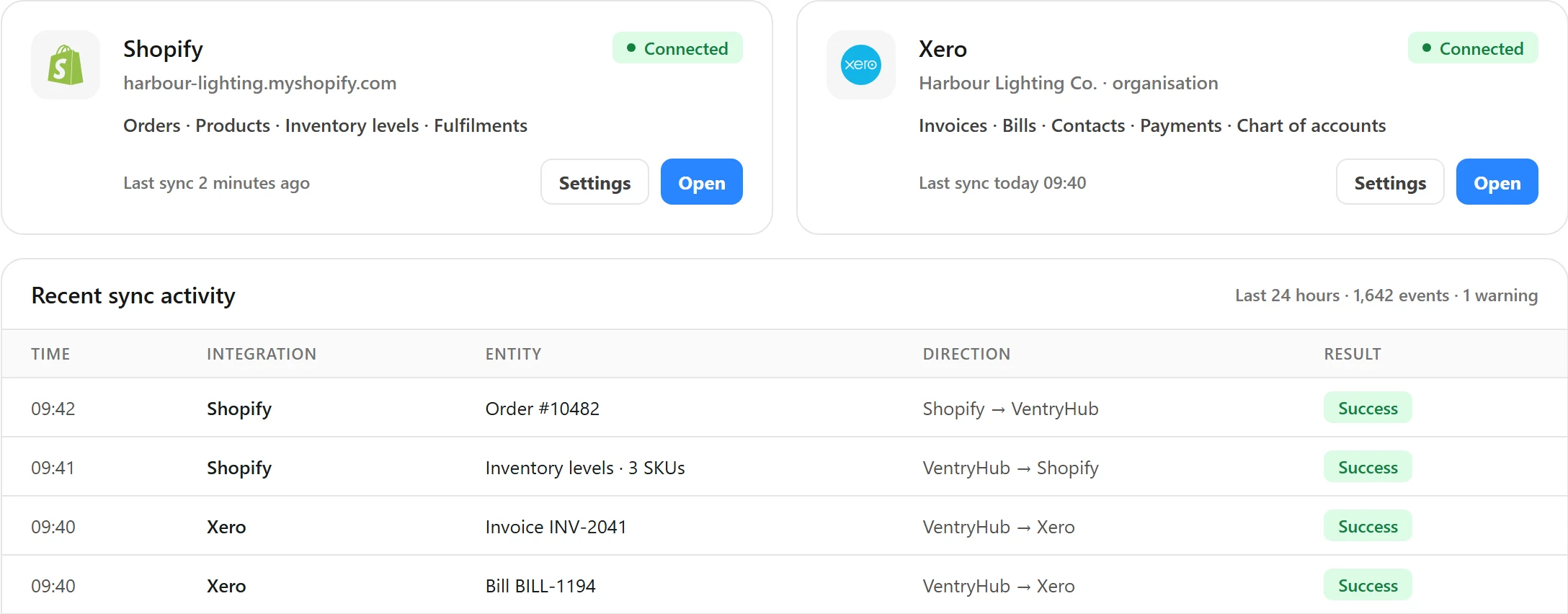
VentryHub connects to the accounting software you already run, so stock, sales and purchasing activity reach the ledger without being keyed twice. It does not replace it.
01 / The problem
What goes wrong without it.
Finance re-enters sales and purchases because the operations system and the ledger don’t talk. Month-end becomes a reconciliation exercise.
Scope. Your ledger stays in your accounting system. Each integration page lists exactly what syncs and in which direction.
02 / Capabilities
What Accounting does.
Each capability works from the same stock, order and supplier records as the other six modules.
QuickBooks connection
Connect VentryHub to QuickBooks. Sync scope and direction are listed on the integration page.
Xero connection
Connect VentryHub to Xero. Sync scope and direction are listed on the integration page.
03 / How it works
Start to finish.
01
Connect your accounting system
Authorise QuickBooks or Xero from VentryHub.
02
Map accounts
Choose which sales, purchase and inventory accounts VentryHub posts to.
03
Activity flows through
Sales and purchasing activity reach the ledger without double entry.
04
Reconcile with less re-keying
Finance works from the same records as operations.
04 / Connections
Works with
Each integration page lists what syncs and in which direction.
Who uses it
Built around how your products move
05 / Questions
Good questions.
Does VentryHub replace my accounting software?
No. Your ledger stays in your accounting system. VentryHub connects to it so stock, sales and purchasing activity flow through without double entry.
Which accounting systems connect?
QuickBooks and Xero. Each integration page lists what syncs and in which direction.
Something else? Contact us.
The other six modules
See it with your own stock
Accounting, on your numbers.
A demo walks through your channels, locations and current systems and shows how they fit together in VentryHub.