
Product
Seven modules. One connected system.
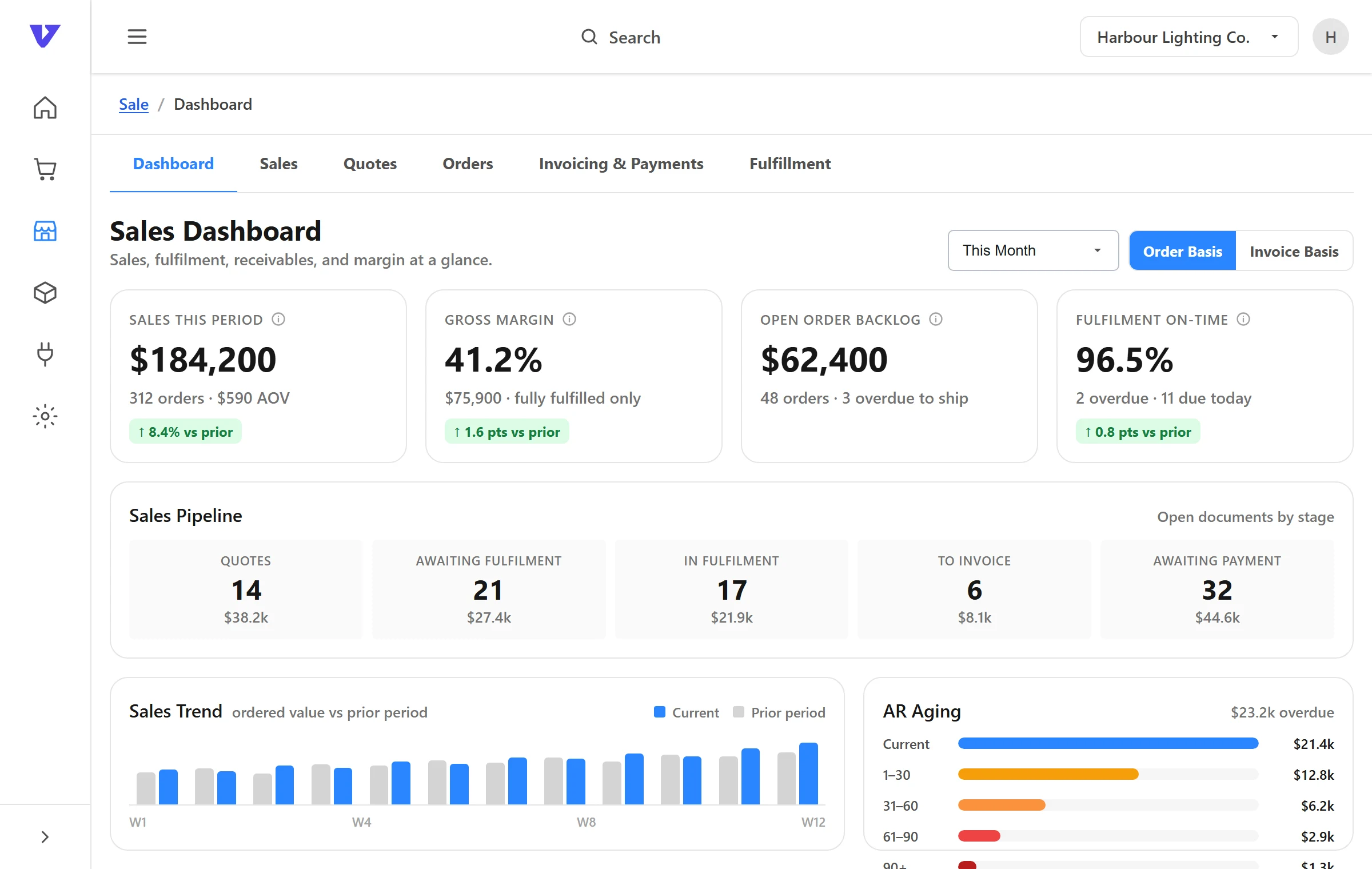
Inventory, orders, purchasing, manufacturing, warehouse and 3PL, accounting connections and reporting, all working from the same stock numbers. Every subscription includes all seven.
01 / The modules
Each one does its job. Together they share the numbers.
A purchase order received in Purchasing raises stock in Inventory, which changes what Orders can allocate and what Reporting shows. No exports, no re-keying.
Inventory Management
Stock across every location, with on hand, allocated and available kept separate.
- Multi-location stock
- On hand, allocated, available
- Bundles and kits
Order Management
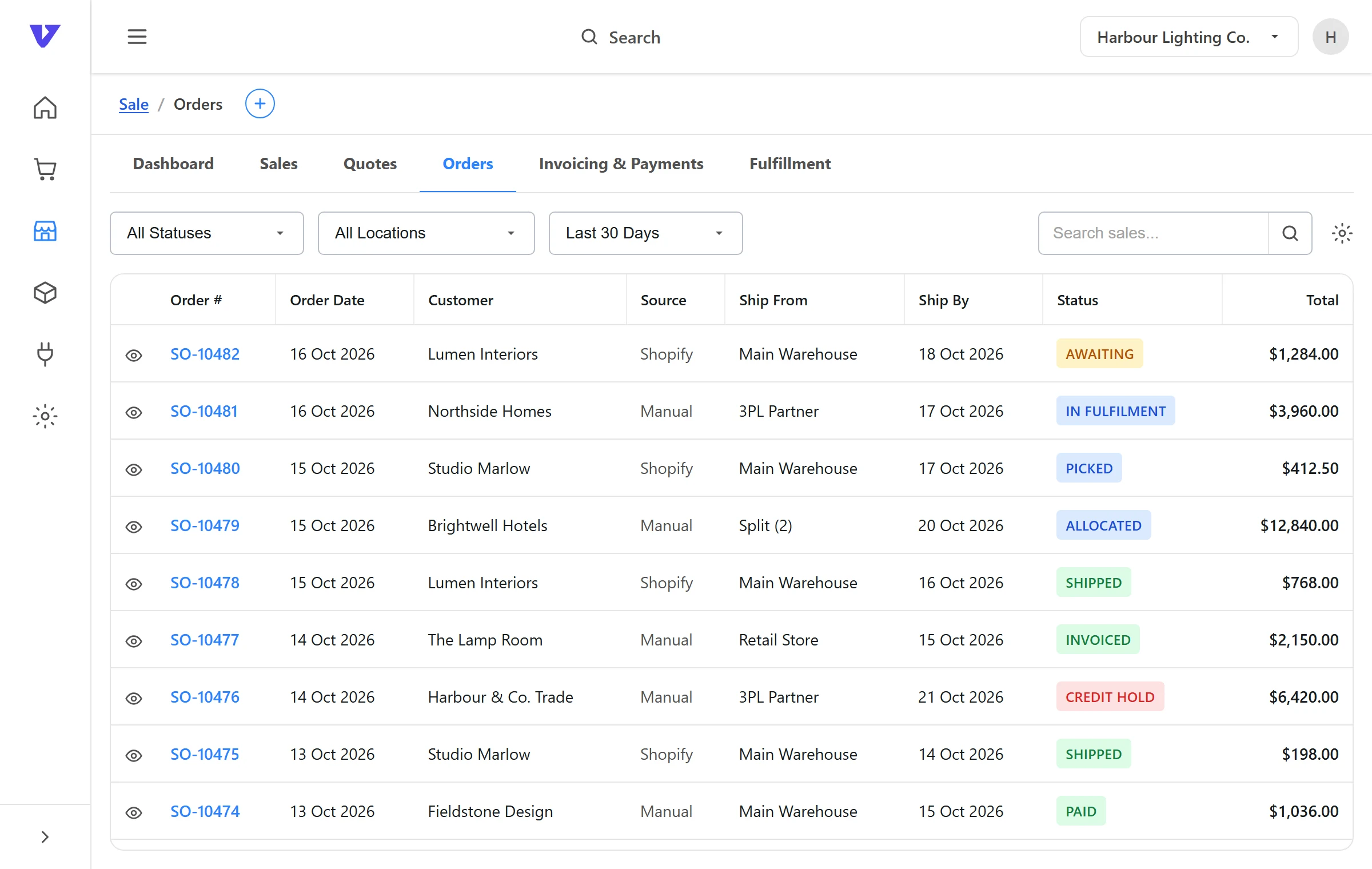
Sales from every channel in one queue, allocated against real stock and routed to the right location.
- One order queue
- Allocation against real stock
- Routing rules
Purchasing
Suppliers, purchase orders and receiving next to current stock and open orders.
- Suppliers
- Purchase orders
- Receiving
Manufacturing & BOM
Bills of materials connect components, assemblies and finished goods to the same inventory.
- Bills of materials
- Components to finished goods
Warehouse & 3PL
One view of stock across your own warehouses and your 3PLs, with routing rules for every order.
- Locations
- Routing rules
- Split orders
Accounting
Connections to QuickBooks and Xero, so stock, sales and purchasing reach the ledger without re-keying.
- QuickBooks connection
- Xero connection
Reporting
Reports built on the same records your team works from.
- Stock on hand by location
All seven, every plan
One plan includes the whole platform.
Monthly or annual billing, with optional add-ons as you grow.
02 / How it fits together
Channels in. Locations and ledger out. VentryHub in the middle.
Sells through
Orders in from every channel. Stock levels back out.
Runs on
Fulfilment, shipments and ledger entries out.
Systems not in the directory connect through API and file-based integrations. Browse the directory →
03 / Why one system
Three things change when the modules share one record.
01
One stock figure
Every channel, location and report reads the same on hand, allocated and available. There is no second spreadsheet to reconcile against.
02
Nothing keyed twice
Orders arrive from connected channels, purchase orders become stock when received, and sales and purchasing activity carry through to the ledger.
03
Connected, not replaced
Your storefront, your 3PL’s warehouse system and your accounting software stay. VentryHub connects them and keeps the numbers in step.
04 / Questions
Good questions.
Is VentryHub a warehouse management system?
No. VentryHub is not a standalone WMS. It gives you one view of stock across your warehouses and 3PLs and connects to the warehouse systems your partners already use.
Does VentryHub replace my accounting software?
No. Your ledger stays in your accounting system. VentryHub connects to it so stock, sales and purchasing activity flow through without double entry.
Which sales channels and tools connect?
The integrations directory lists every connection with its current status. API and file-based connections cover systems that aren’t listed.
How do I get started?
Register your interest and we will walk through your channels, locations and current systems and show how they fit together in VentryHub.
Something else? Contact us.

See it on your numbers
See all seven on your numbers.
A demo walks through your channels, locations and current systems and shows how they fit together.